
An HTTPS website can still have missing images, a broken form or browser security messages. One possible cause is mixed content: the secure page requests a resource over HTTP. Before buying another certificate, identify the exact request and the component generating it. The fix belongs at the source of that insecure reference.
Distinguish mixed content from certificate errors
A certificate error concerns connection authentication or validity. Mixed content occurs when a page in a secure context asks for an insecure resource. For example, an HTTPS page may reference an image at an HTTP address. The main page’s certificate can be valid while the embedded request remains unsuitable.
This distinction directs the investigation. If the browser stops before loading the page because the hostname does not match, review certificate coverage. If the page loads but a component fails, inspect Console and Network records. Renewing the certificate does not automatically correct an HTTP script reference, just as changing an image URL does not repair an expired certificate.
Why browsers restrict these requests
An HTTP resource inside a secure page can be observed or modified in transit. A script is particularly consequential because it can change page behavior. Browsers handle resource types differently, sometimes attempting an HTTPS upgrade and sometimes blocking the request. The visible symptoms can therefore vary across resources and browser implementations.
MDN’s mixed content documentation explains the distinction. The website’s objective should be to serve required resources securely, rather than rely on browser tolerance. Automatic upgrades can make outdated references appear to work, so the absence of an obvious visual defect is not enough to demonstrate that the source configuration has been corrected.
Look beyond the initial HTML
An insecure address can appear in a shared template, an editor-inserted image, a CSS background, a font reference, a video player or an embedded frame. JavaScript may create a request only after an interaction. A tag manager or third-party component can also introduce the address. Searching the initial page source alone may miss these cases.
Older content is especially worth checking after a migration. A new theme might be correct while archived articles retain absolute HTTP image URLs. Alternatively, an updated widget can call another outdated dependency internally. List affected pages and actions to distinguish a shared template problem from an individual content record. That makes the fix more targeted and easier to verify.
Diagnose with Console and Network
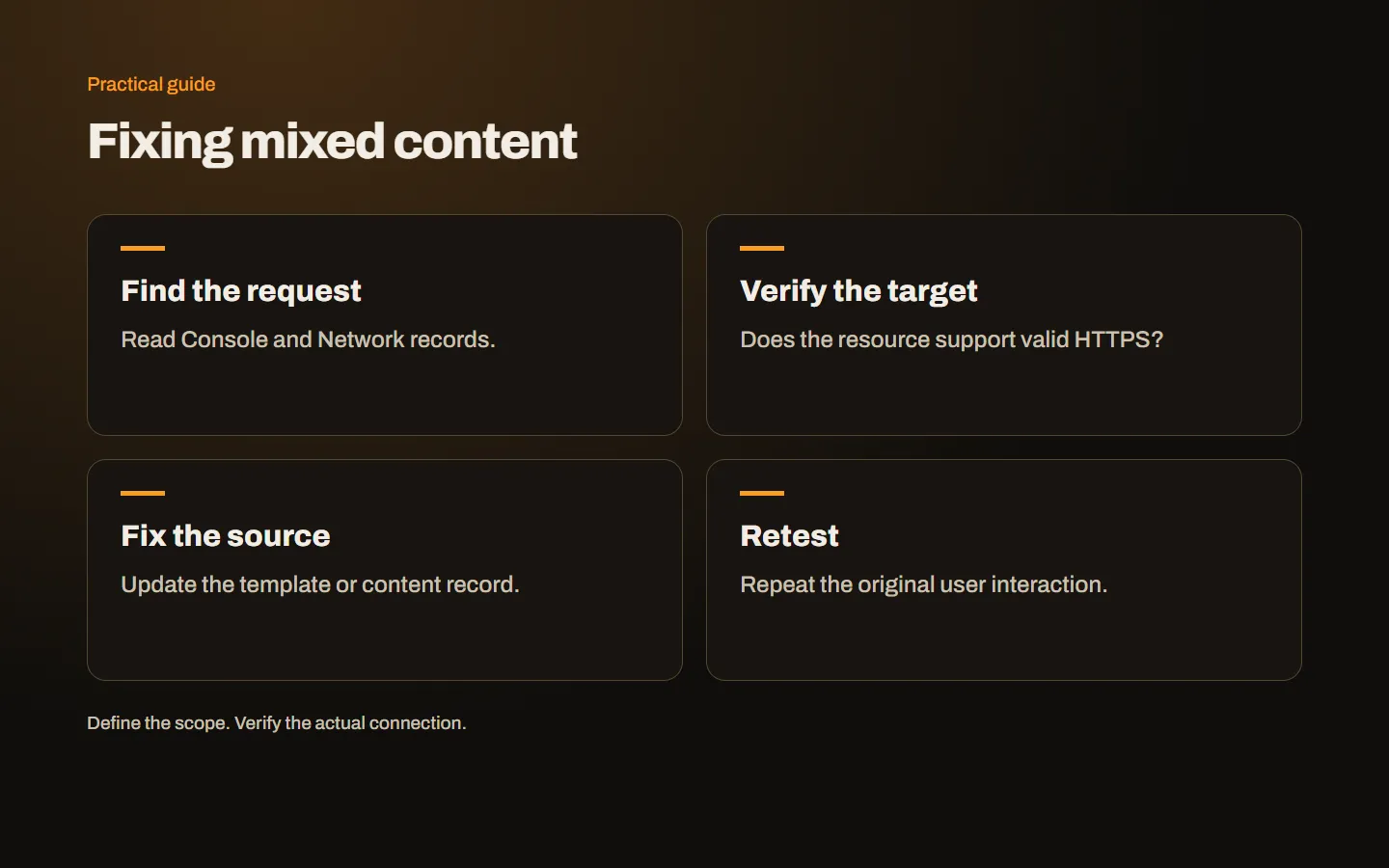
Open developer tools and read the specific warning in Console. Keep Network recording while reloading the page and repeating the failing interaction. Record the resource URL, type and initiator where available. Redact account or personal information before sharing screenshots or diagnostic records.
Some requests occur only after selecting a product option, opening a gallery or entering an address. For example, a shipping lookup may call an HTTP API after the customer chooses a destination. Test the action rather than only the initial page load. The issue record should explain how to reproduce the failure so that the same sequence can confirm the later fix.
Verify the HTTPS destination
Replacing HTTP with HTTPS works only when the resource actually supports a valid secure connection. Check hostname coverage, certificate validity and whether the required file or endpoint exists. An old external service may need a different supported URL rather than a simple protocol substitution.
For resources on your own origin, suitable relative paths can help maintain protocol consistency. For external resources, use an explicit supported secure address and review the service terms. Hosting a replacement copy yourself introduces licensing and update responsibilities. Sometimes removing an unnecessary component or choosing a supported alternative is more appropriate than preserving a dependency that no longer offers secure delivery.
Correct the generating source
Update the template, application setting or content record that creates the request. Editing the final HTML only inside developer tools is temporary and will disappear on reload. Fixing a cached copy without changing the real source can also allow the problem to return at the next deployment.
Before database-wide replacements, back up the data and understand how the system stores it. Blind text replacement can damage structured or serialized records. Test a limited sample and inspect the resulting pages. The business handover should identify what changed and how it was checked, without exposing sensitive database exports in routine support messages. A permanent source correction should survive a new build or cache refresh.
Include application connections
Mixed content is not limited to pictures. Browser-initiated HTTP API requests can be blocked, and WebSocket connections need an appropriate secure arrangement in a secure page. Review environment variables, configuration files and dynamically assembled service URLs. Development behavior does not prove that production addresses are suitable.
After switching to HTTPS, a separate CORS or authorization error may become visible. Classify it independently rather than treating all browser failures as mixed content. Changing protocol can affect origin matching, but disabling every control is not a diagnostic solution. Work through the target address, TLS connection and application permissions in order, keeping the original failing action available for retesting.
Understand automatic rewriting
Some platforms can rewrite insecure references to HTTPS. This can assist a transition, but it does not create HTTPS support at a destination that lacks it. Review remaining errors and verify the actual resources. Cloudflare’s troubleshooting guide discusses resource inspection alongside rewriting options.
A Content Security Policy using upgrade-insecure-requests can also influence requests, but it should not substitute for understanding the dependency. Unsupported secure targets will still fail. Test policy changes before broad deployment because they can affect other resources too. Record the rollback method and affected journeys. Adding a header does not remove the need for source correction and acceptance testing.
Retest both the warning and the function
Repeat the page and action that originally failed, then inspect other pages sharing the same component. Relevant browser, application or CDN caches may need refreshing. Test a clean session and a mobile browser. Confirm that the corrected source is being delivered rather than an accidental temporary state.
Verify the real outcome: the form was received, the API returned the expected result or the payment flow completed. A clean Console does not by itself prove the user journey works. Removing a required script might silence an error while breaking the task entirely. The installation checklist and HTTPS migration guide help complete that wider review.
Write a useful issue and prevention record
An issue such as “the stock lookup requests HTTP after a size is selected” is actionable. Add the generating component and the tested secure replacement where known. Keep technical implementation notes in the maintenance record rather than placing them in customer-facing page content. The acceptance evidence should contain both the absence of the original warning and a successful task result.
Teach content editors to use appropriate secure resource addresses. Include resource testing when adding plugins or external integrations, and scan old absolute URLs during migrations. Our web design service includes coordinated launch planning. Contact us with the affected URL and browser message if you need help tracing the request to its source.