The answer to “how many people can listen to our radio at the same time?” depends on two numbers: stream quality (bitrate) and the total bandwidth the server can carry. In this post we define concurrent listeners, calculate capacity with a simple formula and explain what to watch in planning.
What are concurrent listeners?
Concurrent listeners are the number of users actively listening to a radio stream at the same time. In radio hosting plans the “listener limit” sets the upper bound of this number: how many people the server can stream to at once.
What does the listener limit do?
- It caps server capacity.
- It protects stream performance.
- It balances bandwidth use.
- It prevents overload.
We covered the costly side of the limit and how an unlimited infrastructure differs in the unlimited listeners guide.
What happens when the limit is full?
- New listeners cannot connect to the stream.
- The player shows a connection error.
- Existing listeners are not affected.
- Listeners are lost.
How is capacity calculated?
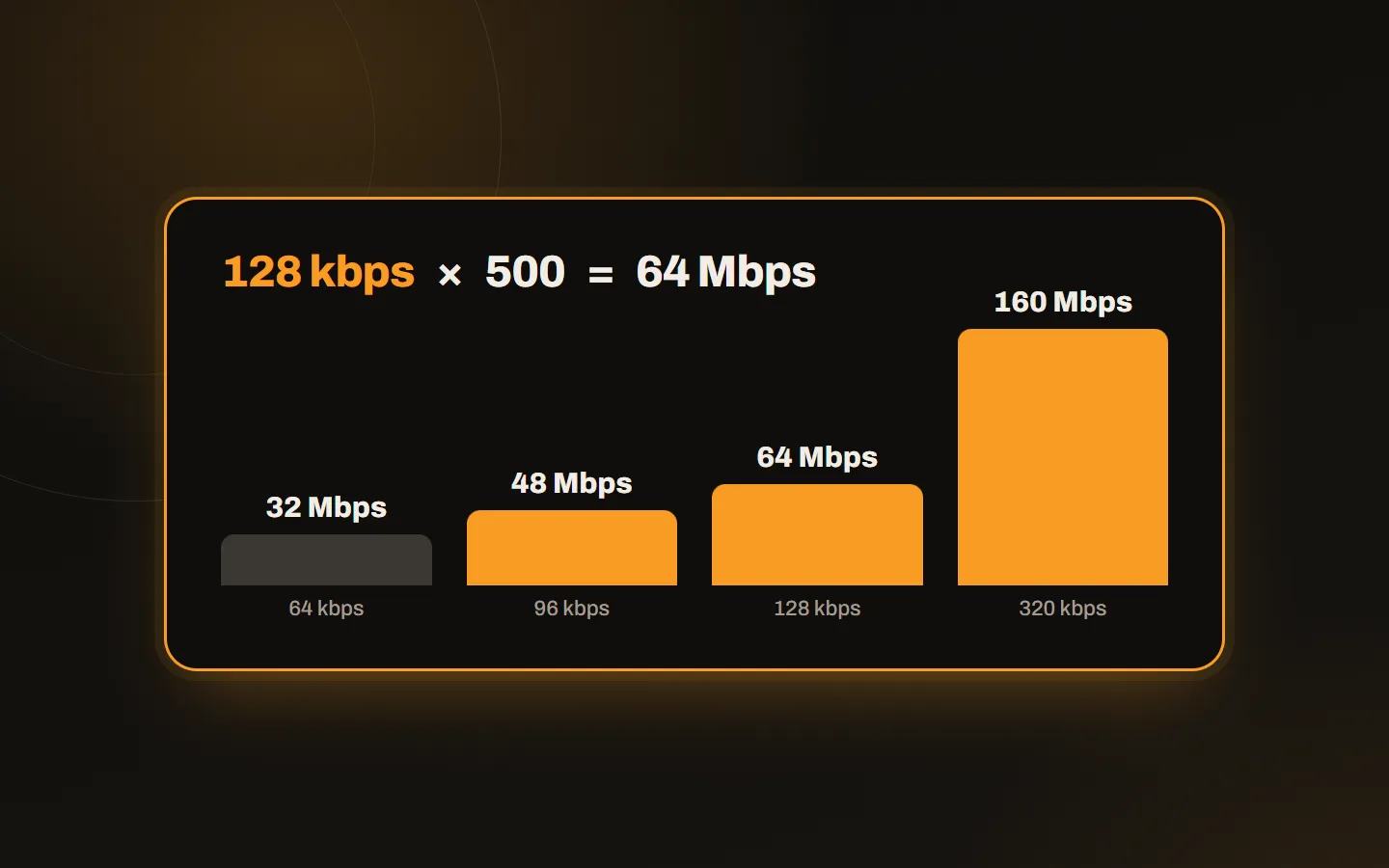
Each listener uses as much bandwidth as the stream bitrate. The total need is:
Total bandwidth = bitrate × number of listeners
| Bitrate | 100 listeners | 500 listeners | 1,000 listeners |
|---|---|---|---|
| 64 kbps | 6.4 Mbps | 32 Mbps | 64 Mbps |
| 96 kbps | 9.6 Mbps | 48 Mbps | 96 Mbps |
| 128 kbps | 12.8 Mbps | 64 Mbps | 128 Mbps |
| 320 kbps | 32 Mbps | 160 Mbps | 320 Mbps |
For example, a radio that broadcasts at 128 kbps and aims to reach 500 concurrent listeners needs 64 Mbps of outgoing capacity. If you lower the bitrate to 64 kbps, you carry twice as many listeners with the same capacity. That is why a low bitrate is a smart choice for talk-heavy streams.
What to watch in planning
- Calculate the peak, not the average. Listener numbers change a lot during the day; they hit their highest at a special programme or an announcement.
- Choose bitrate by target audience. If you have many mobile listeners, a high bitrate is not always better; see why in the buffering post.
- Follow busy hours in the logs. Decide with real data.
- Set up an alert when the limit fills. You cannot see the listeners you lose silently.
- Leave room to grow. Putting an upgrade off arrives at the worst moment.
Common mistakes
- Expecting many listeners with a small plan.
- Ignoring the relation between bitrate and listeners.
- Not analysing busy hours.
- Not setting up an alert when the limit fills.
Getting rid of the capacity worry
On Kariha radio hosting plans, concurrent listeners and bandwidth are unlimited; plans differ only by stream quality and AutoDJ disk space. So you focus on stream quality instead of capacity planning. For several radios, see the radio reseller hosting plans, and write to us with any questions.